It's a faith in technology.

Showing posts with label yahoo. Show all posts

Link popularity checking tool For Blog

link popularity checking tool. How popular is your Blog? How many people are linking to you (aka backlinks or external links).

With this tool you can check the link popularity for any given page - just enter the URL in the box below. You will see how many links has been already "noticed" by the major search engines - Google, Yahoo, MSN, Altavista, Alltheweb & Hotbot.

Link Popularity Check

How popular is your website?
example: www.host.com or host.com

URL: 1
URL: 2 *
URL: 3 *
Exclude your domain from result.
Send report to an e-mail address (optional).
Email
Send in HTML format.

Please enter the access code as displayed above.
Access code

Yahoo! Buzz Button on Your Blog

The Web's most remarkable stories, determined by people like us. Stories are ranked based on your votes, emails, and searches.
Choose the desired button and Code from Yahoo! Buzz Copy give Script Code.

<script type="text/javascript" src="http://d.yimg.com/ds/badge2.js"
badgetype="square"> ARTICLEURL </script>

Replace the ARTICLEURL with . After replaced, your code will look like this

<script type="text/javascript" src="http://d.yimg.com/ds/badge2.js"
badgetype="square"><data:post.url/></script>

Dashboard > Layout > Edit HTML > Expand Widget Templates
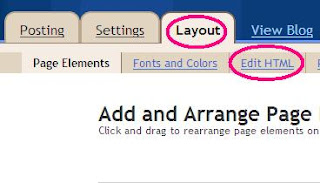

Search Given Code below

<data:post.body/>

We will add style to the button to make it float to the right look at my blog. Append above code with given below.

<div style='float:right;padding:5px;'><script badgetype='square' src='http://d.yimg.com/ds/badge2.js'
type='text/javascript'>
<data:post.url/>

</script></div><data:post.body/>

Save your template and Check your blog with Yahoo! Buzz Button

Blog Indexed by Google Boost your blog Hits

Some Blogger having Question like this :- I am create a blog with blogspot since 3 months but unfortunately until now is not indexed by Google , plz help me how i can indexed at search engine ?

Are you suffering from this type of problem? Ok Boost your blog hits using this tips.

1. I head over to feedburner add my blog

2. After your blog has been added click on publicize and then collect chicklets (i always take the main ones like yahoo, google, aim etc) put the chick lets on your site and click through each one (sign in or register) such that you see your last post.

3. Back on feedburner...collect the headline animator. Copy the code and paste in your blog.

4. Now go to pingomatics (save the site) and ping each time you update your blog. But try not to ping more than once a day.

5. Add your blog to some directories (do a google search)

This is the way i start off and i find my blog soon gets indexed without sweat.

I know there is so much more that can be done...but that above is what i do and my 25 blogs are feeding me fine

You can also use the pingshot offered by feedburner
 

Receive all updates via Facebook. Just Click the Like Button Below

You can also receive Free Email Updates: